

Built to secure, optimize, and scale — see how Shield Secure Solutions drives real results.

Advanced Data Recovery Tool

Restore Lost, Deleted, Damaged Files Safely & Quickly

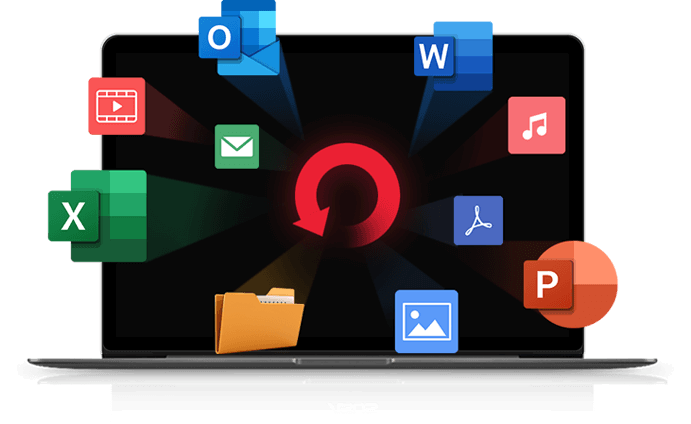
Our Data Recovery Tool helps you recover important files lost due to accidental deletion, formatting, virus attacks, or system errors. With deep scanning technology, it safely retrieves documents, photos, videos, other essential data without harming your device.

  •   Recover deleted, lost, or formatted files from drives securely.

  •   Supports recovery from damaged disks, partitions, USBs, memory cards.

  •   Fast scanning ensures quick restoration with high recovery success.

All Data Loss

Complete Resolution for Every Data Loss Situation

Provides complete resolution for every data loss situation by recovering deleted, formatted, corrupted,
or damaged files safely, ensuring reliable restoration across all devices and storage conditions.

Deleted Files Recovery

Recovers deleted files quickly and safely, restoring important data without harming system performance.

Formatted Data Recovery

Recovers accidentally formatted data safely, restoring important files without affecting system performance.

Virus Attack Recovery

Recovers files affected by virus attacks, restoring important data safely without compromising system security.

Recycle Bin Data Recovery

Recovers files emptied from the Recycle Bin, restoring important data quickly and safely.

Lost Partition Recovery

Recovers data from lost or deleted partitions, restoring important files safely and efficiently.

Hard Disk Damage

Recovers data from damaged hard disks using scanning to safely restore important files.

FREE Data Recovery Software with Highest Recovery Rate

Free data recovery software offering a high recovery rate, restoring deleted, formatted, or lost files safely
and efficiently across multiple storage devices and situations.

Stop Using the Storage Device

The moment you realize that data has been lost, it's crucial to cease any activity on the affected storage device immediately. Continued use may overwrite the lost data, making it more challenging to recover.

Identify the Cause of Data Loss:

Understanding the root cause of the data loss is essential for effective recovery. Whether it's accidental deletion, formatting, virus attacks, or hardware failure, pinpointing the issue will guide your recovery strategy. Different situations may require different approaches.

File Types

Storage Devices Supported

PC/Mac
Hard Disk/Drive
SD/Memory Card
USB
Digital Camera
Removable Drives

How Windows Data Recovery Works

Windows data recovery scans storage devices for lost file traces and rebuilds them safely. It identifies recoverable data and restores it without damaging existing files.

Scan the Device

Scans your storage device thoroughly to detect deleted, formatted, or hidden files. It identifies recoverable data fragments from every sector. This ensures accurate results before starting the recovery process.

Analyse File Structure

Analyses the file system to locate recoverable data from partitions, sectors, and metadata. It identifies file paths and structures needed for reconstruction. This ensures accurate and reliable restoration of lost files.

Preview Recoverable Files

Allows you to preview all recoverable files before restoring them, ensuring accuracy and control. You can check documents, photos, videos, and other data to confirm they’re correct. This helps avoid unnecessary or incorrect recovery.

Restore Selected Data

Restores only the files you choose, ensuring safe and accurate data recovery. The tool saves recovered data to a secure location without overwriting existing files. This guarantees a smooth and reliable restoration process.

FAQS

Data recovery software helps retrieve lost, deleted, formatted, or corrupted files from storage devices like hard drives, SSDs, USB drives, and memory cards.

Yes, if the deleted data has not been overwritten, the software can scan the storage device and recover permanently deleted files.

Yes. Most tools can recover files from accidentally formatted drives by detecting remaining data fragments and rebuilding them.

Hard drives, SSDs, USB flash drives, memory cards, external drives, and sometimes mobile storage depending on the software’s capabilities.

No. The recovery process is read-only and does not overwrite or modify existing data on the storage device.

Yes. Most data recovery tools allow you to preview documents, photos, videos, and other file types to ensure correct restoration.