
Built to secure, optimize, and scale — see how Shield Secure Solutions drives real results.

Advanced System Cleaner

Clean Junk Files and Boost Overall PC Performance

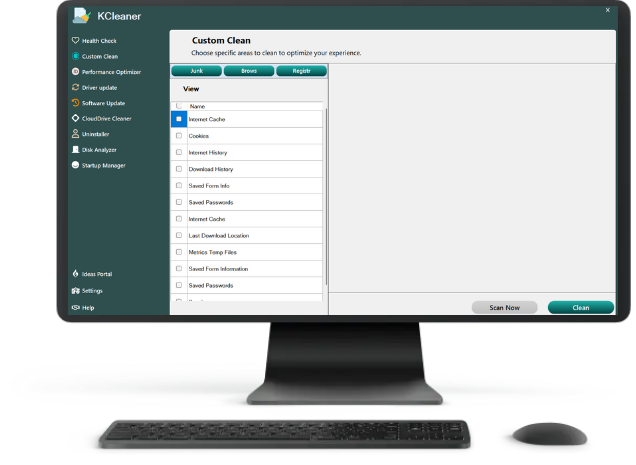
Our System Cleaner removes unnecessary files, cache, and temporary data to improve speed and free storage. It helps maintain a smooth, stable, and efficient Windows experience by keeping your system clean and optimised.

  •   Efficient Scanning: Detects outdated drivers instantly for seamless performance.

  •   Automatic Updates: Quickly updates all drivers with a single click.

  •   Time-Saving: Eliminates manual searching, ensuring hassle-free driver management.

KCleaner

KCleaner helps you optimize your PC in 2 easy ways

KCleaner helps you optimize your PC in two easy ways by cleaning unnecessary junk files and improving overall system
performance for a faster, smoother, and more reliable computing experience.
Health check & Uninstall junk files

Take charge of maintaining your PC

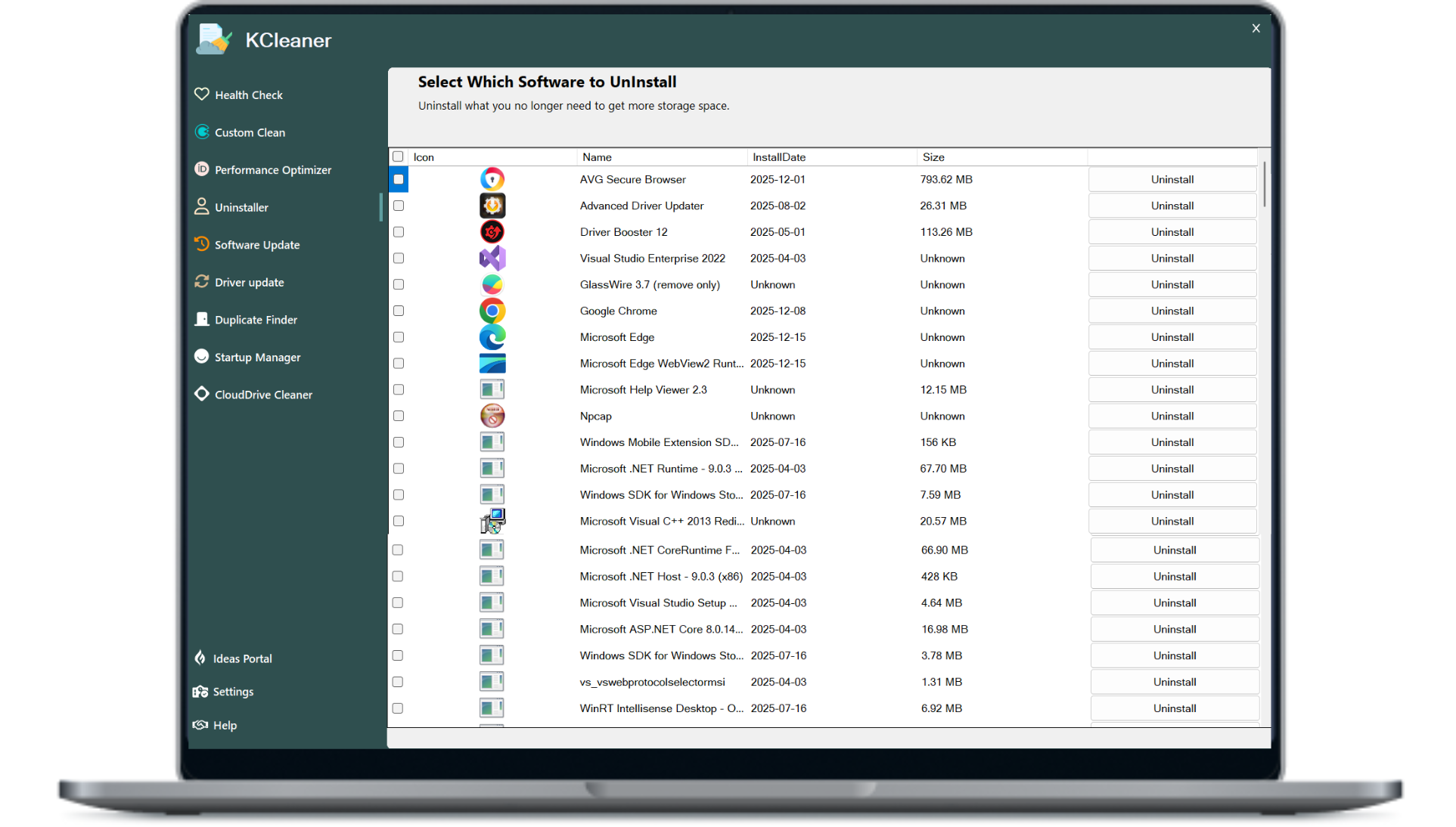
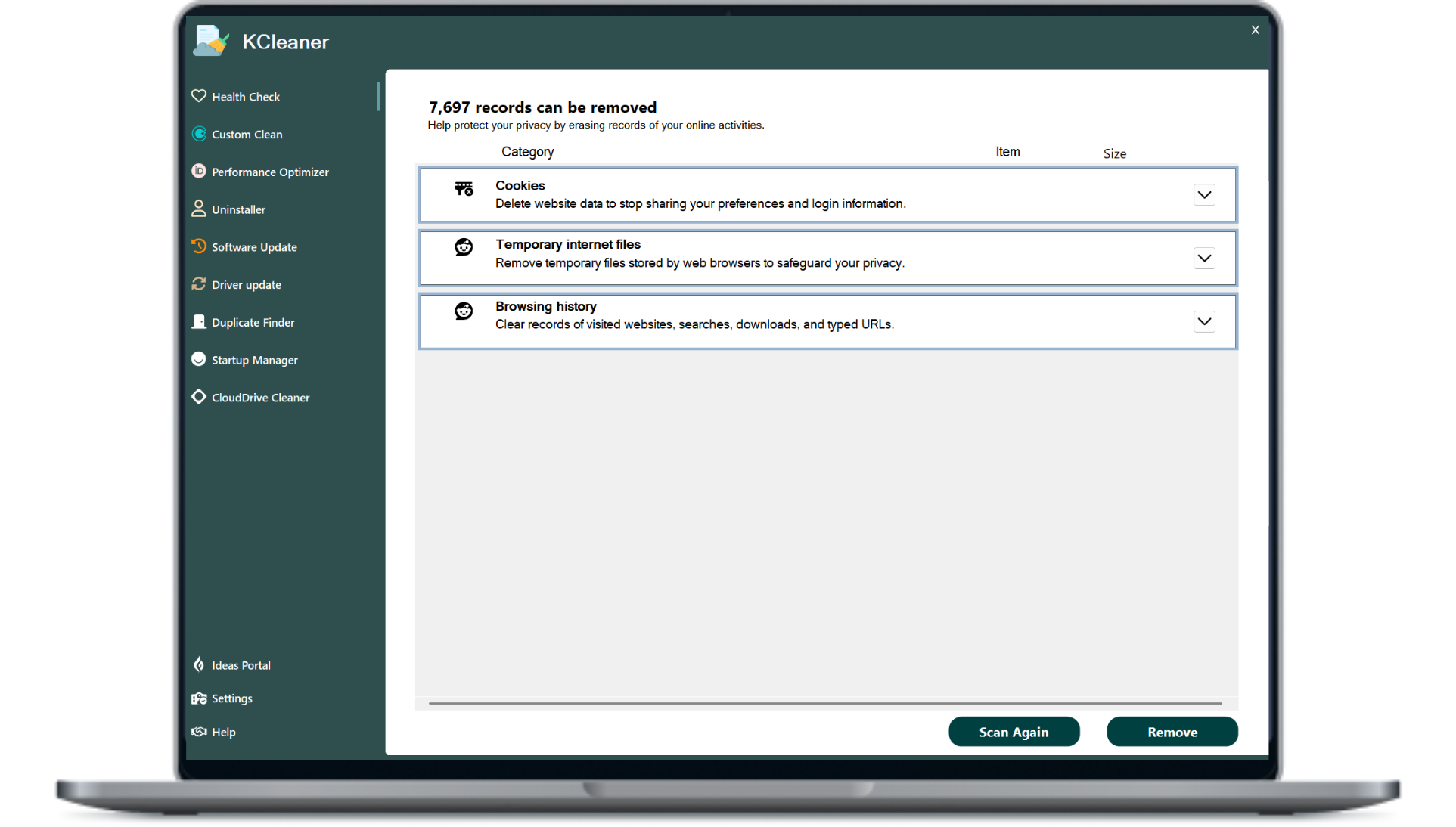
Remove & Uninstall junk files to help save hard drive space and clean up your Windows PC. Erase traces of your online browsing history to bolster your privacy. Improve your PC's boot speed by turning off concealed programs that hinder its performance.

Secure connection & Record can be removed

Fix loads of Windows PC problems

Out-of-date software can cause security and performance issues with your PC. Software Updater helps save you the time and effort of keeping on top of this problem yourself. Get access to the latest updates for hundreds of popular apps with our PC optimizer app.
All Benefits

The benefits of our PC cleaner

Our PC cleaner boosts speed, frees storage, removes junk,
and improves overall system performance.

Free up disk space

Quickly frees disk space by removing junk files, temporary data, and unnecessary system clutter efficiently.

Remove junk software

Removes unwanted junk software completely to improve system speed, free space, and enhance performance.

Clean browser files, caches

Cleans browser files and caches to improve speed, protect privacy, and enhance online performance.

Get PC maintenance

Get automatic PC maintenance that keeps your system optimised, removes clutter, boosts performance, and ensures smooth operation.

Put background apps

Puts unnecessary background apps to sleep, reducing system load, saving resources, enhancing overall performance & responsiveness.

Update apps automatically

Updates apps automatically to keep your system secure, stable, and running with the latest features.

Why Do You Need System Cleaner

A system cleaner helps remove junk files, temporary data, and hidden clutter that slow down your PC. It keeps your computer fast, stable, and running smoothly with better overall performance.

Boosts Your PC Speed

Boosts Your PC speed by removing junk files, fixing background issues, and freeing system resources. It helps applications run smoother and reduces load time. Enjoy faster performance for everyday tasks and heavy workloads.

Removes Bloatware

Removes unwanted bloatware that slows down your PC and wastes storage space. It eliminates pre-installed programs you don’t need, improving system responsiveness. Enjoy a cleaner, lighter, and faster Windows experience.

Protects Privacy and Security

Protects your privacy by clearing sensitive data, browsing traces, and tracking files. It blocks unwanted access to personal information and strengthens overall security. Enjoy a safer, more private computing experience every day.

Unleashes Internet Speed

Unleashes your internet speed by clearing network clutter, fixing connection issues, optimising background usage. It reduces lag & improves loading time for websites and apps. Enjoy smoother browsing, streaming, & online gaming.

System Cleaner and Software Updater

Easily resolve numerous issues related to Windows PCs.

Experience enhanced, hassle-free performance on your PC.

Driver Updater assists in preventing software glitches and hardware issues that may impede your computer's performance. Additionally, it can enhance your PC's graphics, sound, and internet connectivity.

Boost your PC's security and more

Outdated software may lead to security vulnerabilities and performance problems on your PC. The Software Updater assists you in managing this issue efficiently, saving you both time and effort. With our PC optimizer application, you can access the most recent updates for numerous widely-used applications.

FAQS

To clean your PC using software, follow these steps. First, choose a reliable PC cleaning software like K-Cleaner. Install the software and run a system scan to identify unnecessary files such as temporary files, junk files, and unused data. Then, follow the prompts to remove the identified files and optimize your PC's performance.

Yes, K-cleaner software can remove junk files and data from your computer to free up storage space. This is true for the free software variants too. More advanced software of this type that you pay for, like K-Cleaner Professional, can help improve your PC’s speed by temporarily disabling performance-draining apps. Plus, it can support your efforts to fix problems with computer glitches and errors. It does this by updating drivers and out-of-date software.

K-Cleaner 19 can run smoothly on the computer with 512 MB of RAM, 1 GHz processor or faster processor, 300 MB of free hard disk space, 1024*768 screen resolution and above.

Absolutely! K-Cleaner your PC means removing caches and temporary files, getting rid of bloatware and other unnecessary software, repairing your Windows registry, optimizing your disk, and more. That will free up gigabytes of extra space and reduce the strain on your RAM and CPU so your PC functions better.

Any time you surf the internet, your browser downloads cache files in the form of website elements, like images. The next time you visit that site, your browser loads those elements right from the cache. That means those elements (and the web pages they’re on) can load faster, but it also means your browser is holding onto tons of unnecessary cache files from all the sites you’ve visited.

The best way to clean your PC is with a tool built to do just that, like K-Cleaner. Not only will it safely clean and optimize your entire PC, its Automatic Maintenance feature will make sure your PC gets back into shape and stays that way.